
In ABA-ASSISTANT, there are 3 types of “professionals” each with different rights. It is possible to combine functions in the same center to combine these rights.
1- Administrator:
- create the folders
- create professionals
- create responsible persons
- visualize the graphs
- view documents
- visualize the data
- participate in forums
2- Behavior analyst:
- create goals and programs
- visualize the graphs
- share documents
- visualize the data and can correct it if necessary
- participate in forums
3- Technician:
- visualize the graphs
- view documents
- visualize the data
- enter the data
- participate in forums
To create a professional:
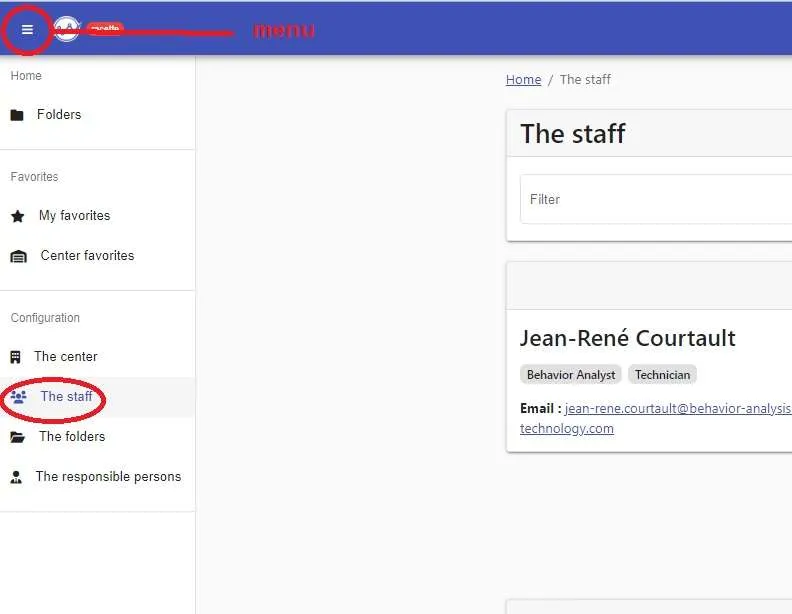
1- In “Menu”
2- Click on “The staff”
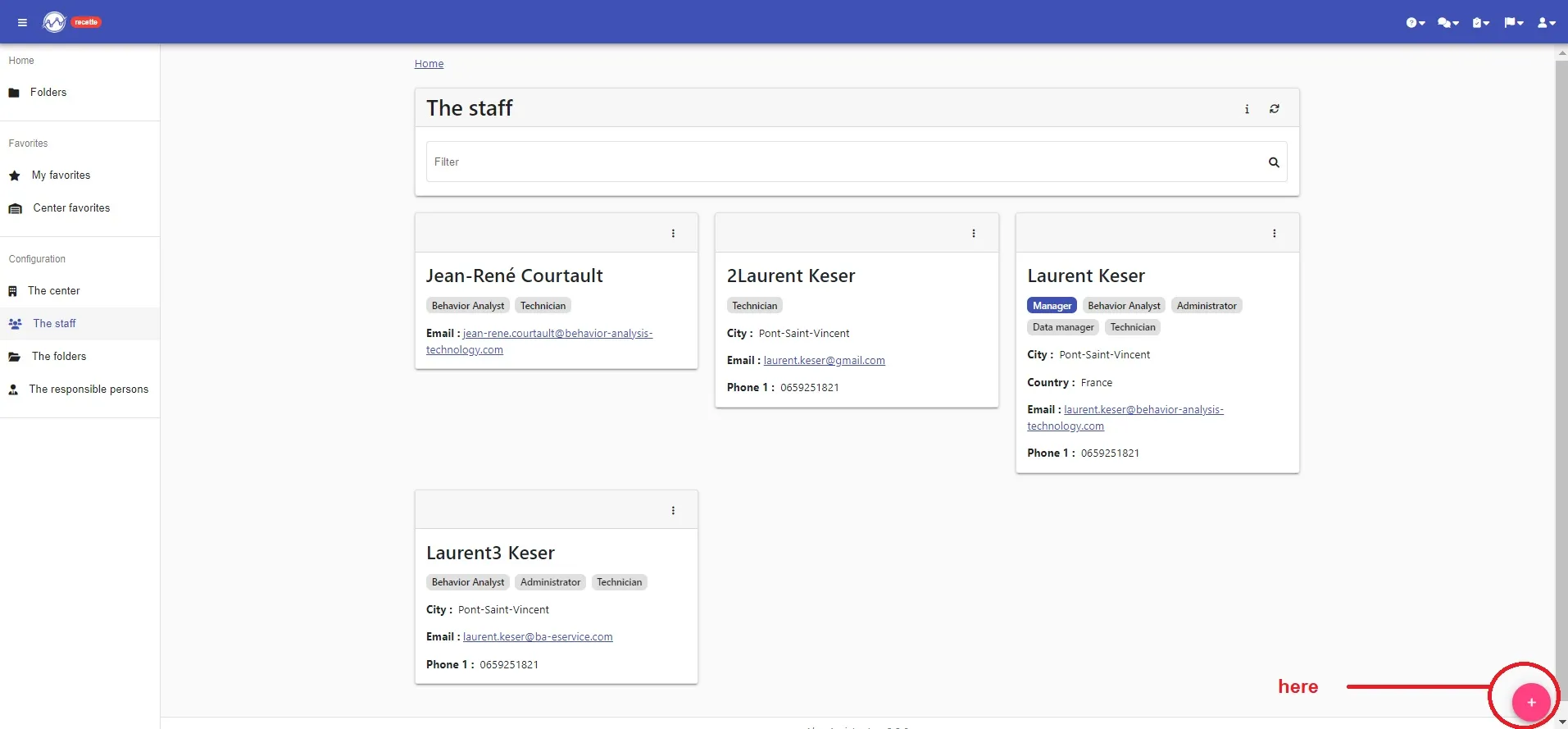
3- Click on “+” at the bottom right
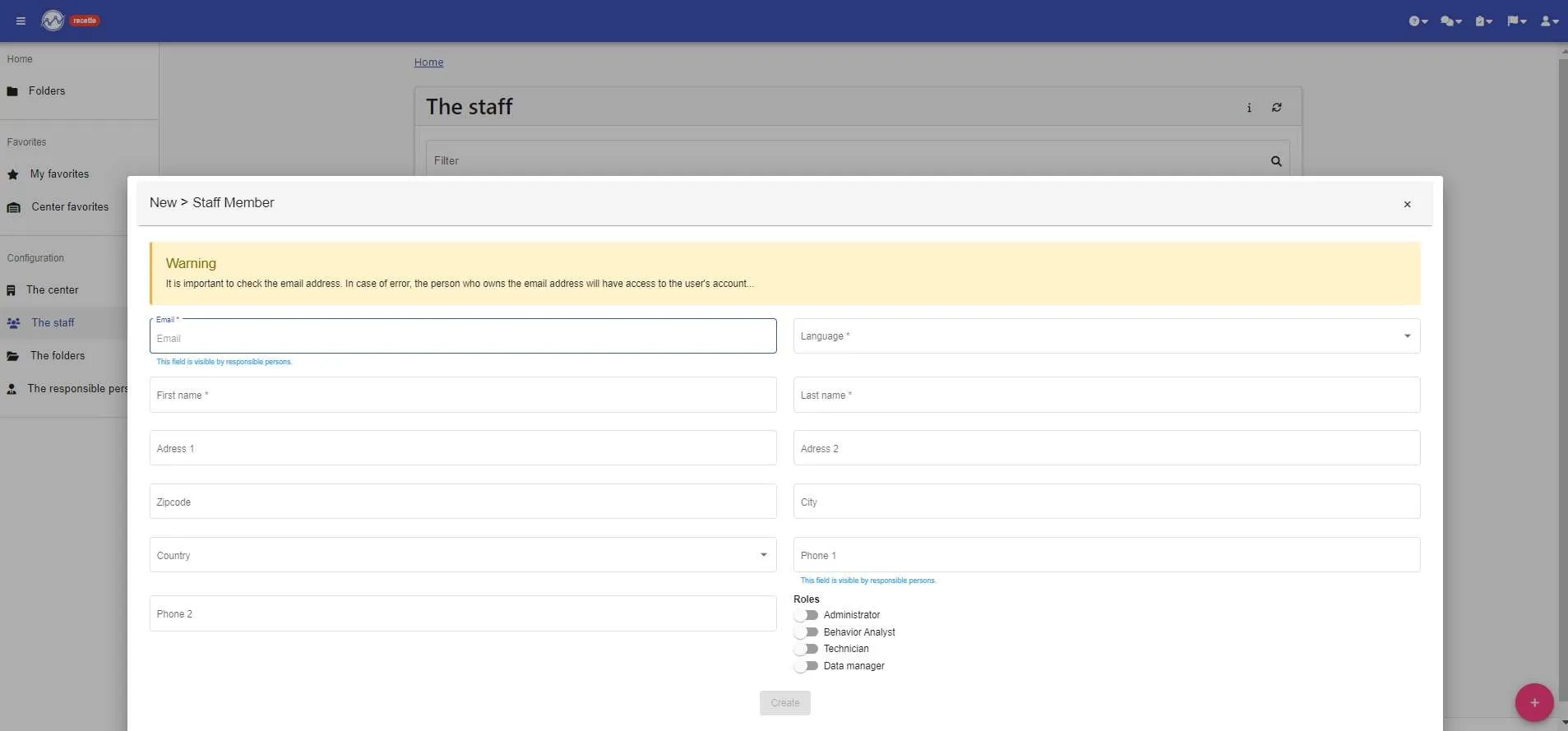
4- Fill in the different fields (BE CAREFUL when you note the email address!) and assign him her/his role (the rights she/he has on the platform)
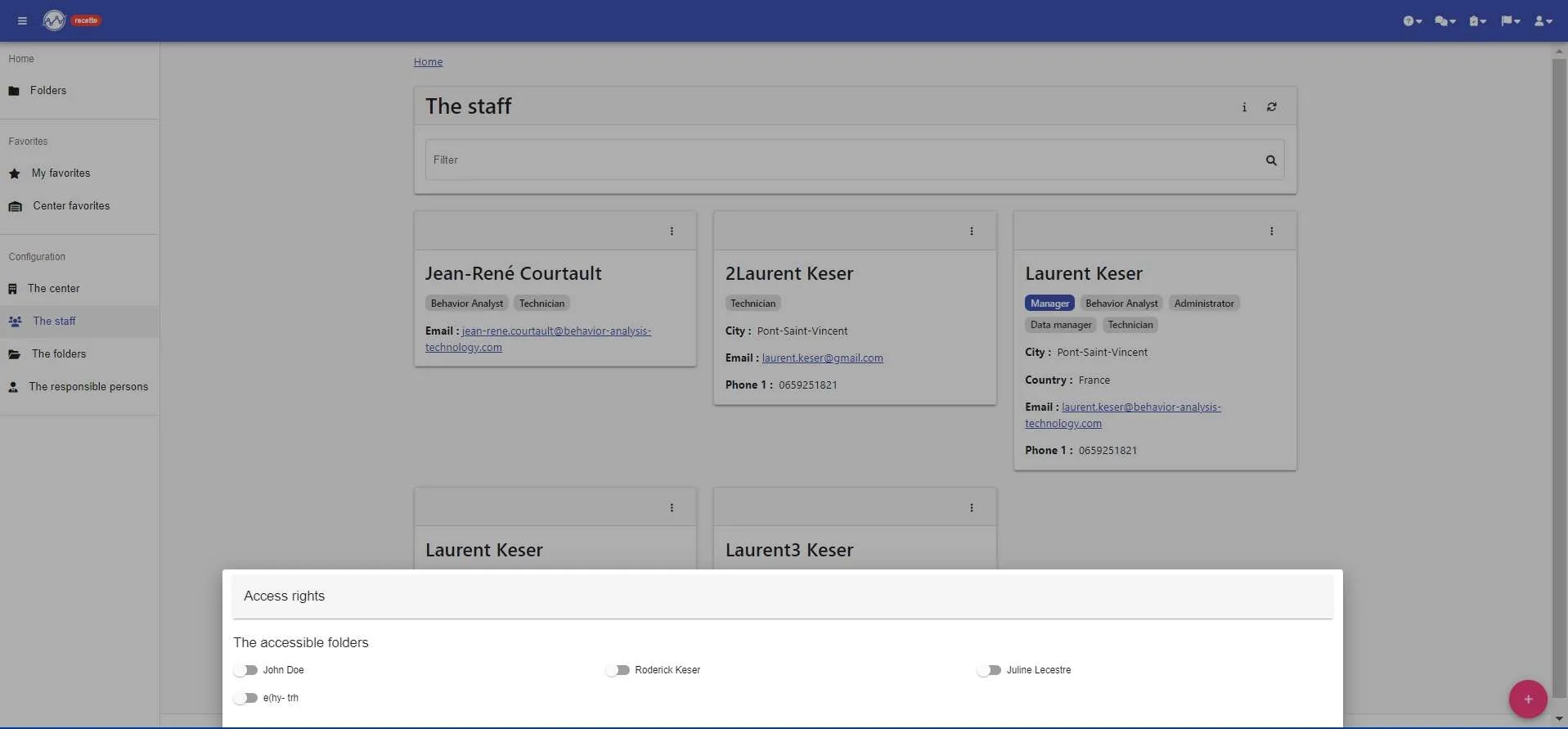
6- Assign her/him the folders to which this professional will have access by activating switches
YOUR PROFESSIONAL IS CREATED !!!!
She/He will receive an email to create her/his password on the platform, if the link is no longer valid, she/he can go directly on the ABA-ASSISTANT platform and click on “Forgot password?”