
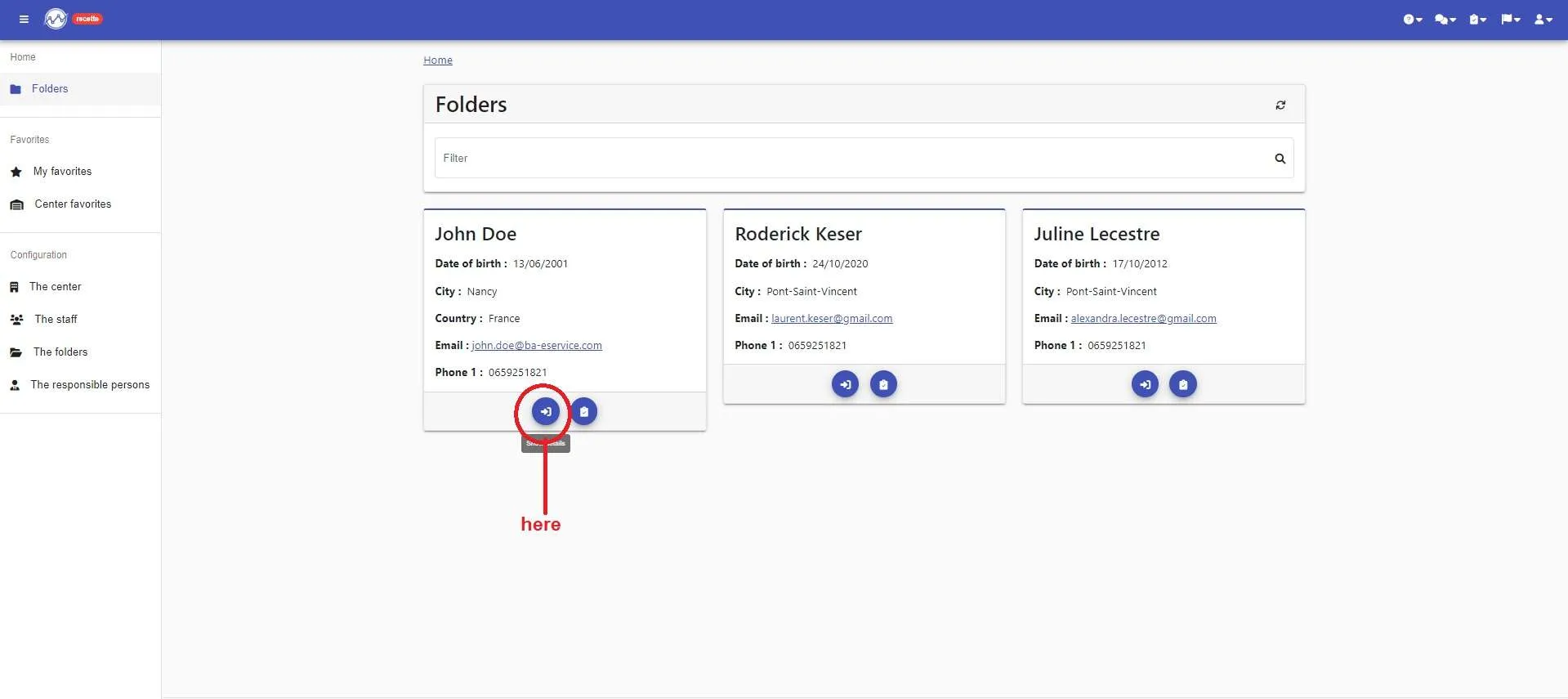
Enter in the details of your folder
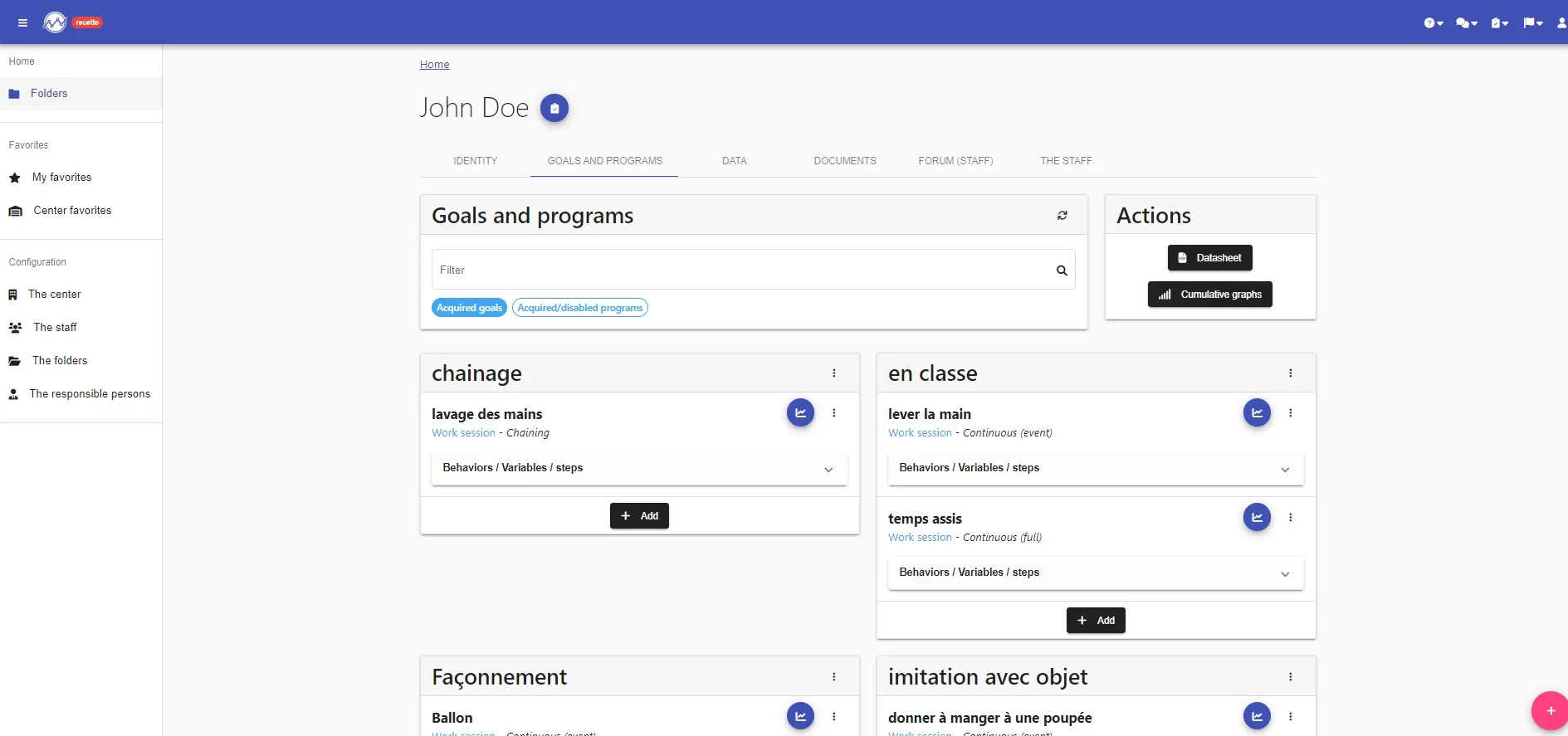
In the “goal and programs” section, click on the “+ Add” in the goal where you want to add your program
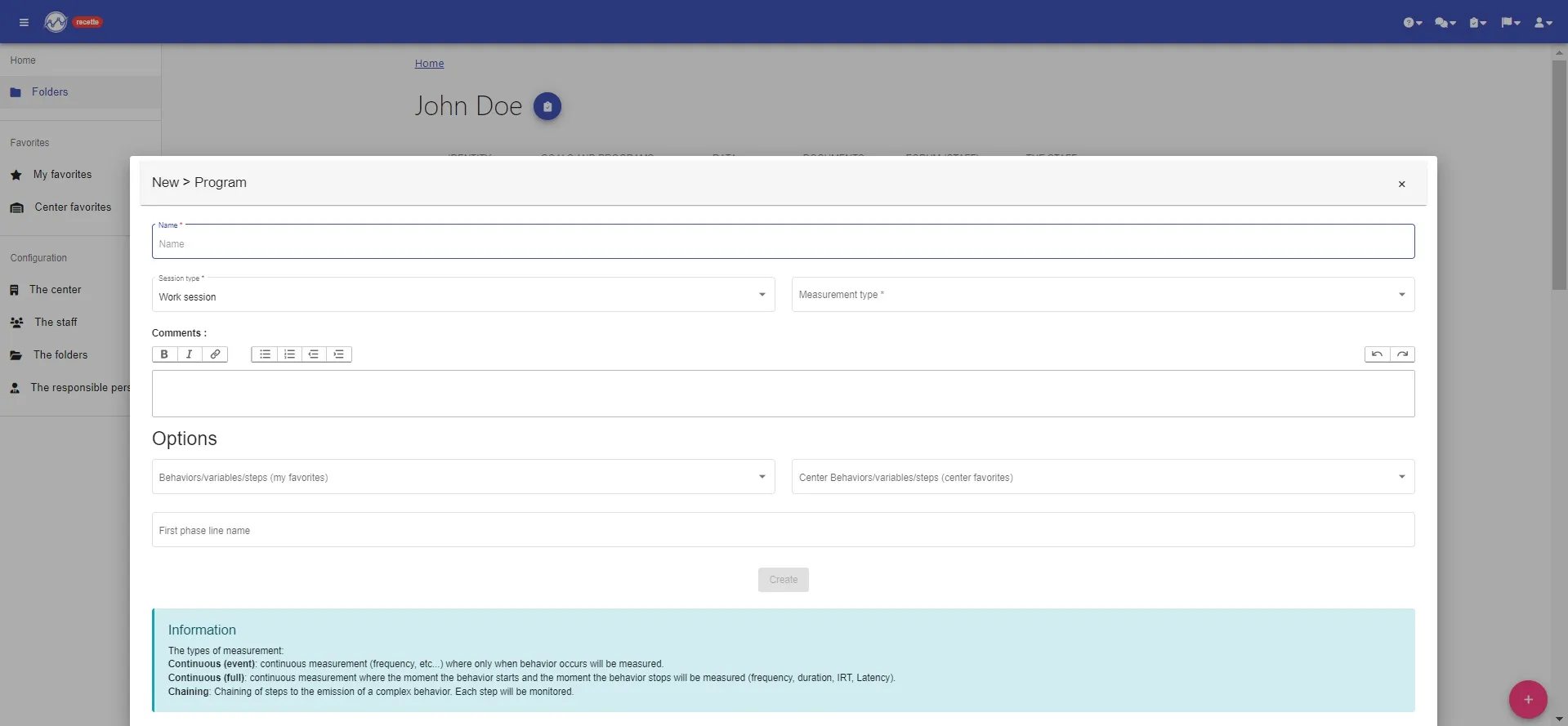
Now, you could create your program:
1- the name of the program
2- select “work session” (pre-filled)
3- in the type of measurement, select:
- Continuous “event”: to enter a number (number of times, discontinuous measurement, etc.)
- Continuous “full”: to enter a number of times and/or a duration
- Chaining: for a program allowing you to scroll through the steps
4- select your “favorite behaviors and variables” (see “preferences”) or don’t put anything (editable later)
5- enter the name of the first phase line (editable later)
6- click on “Create”
YOUR PROGRAM IS CREATED !!!!
Now, you just have to modify it if necessary and/or take your data directly