
To save time when creating your programs, ABA-assistant suggests that you create groups of “favorite behaviors/variables/steps”. This may be, for example, the list of prompts, a task analysis frame, etc.
These groups allow you, during the creation of your program, to save time. By selecting your favorite group when creating the program, your behaviors/variables/steps will be automatically filled in (you will always be able to modify, add, or remove them later to individualize your program).
The behavior analyst has the possibility of creating personal groups (usable only by him) or groups available to all the analysts of the center.
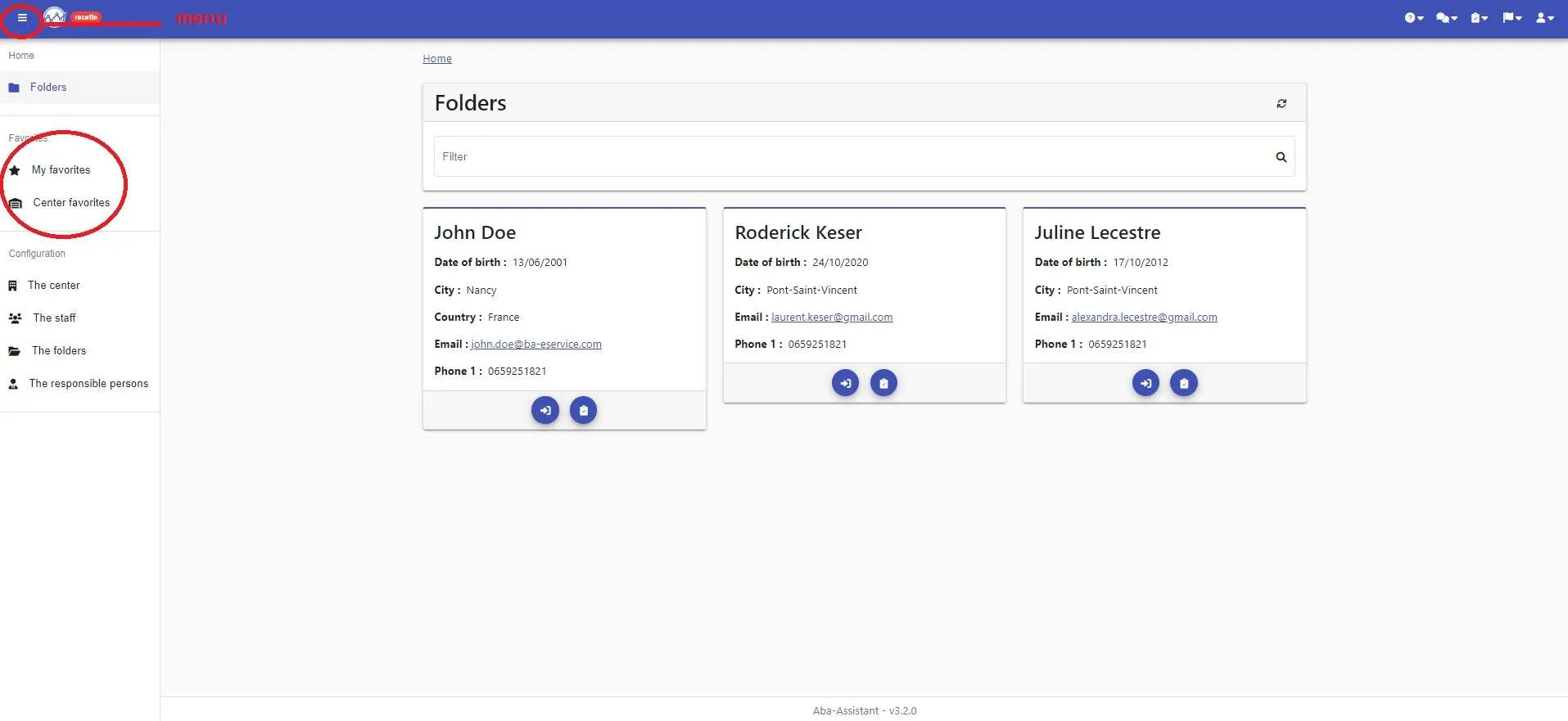
1- In the menu, select whether you want to create a personal group (“My favorites”) or one available to all analysts of the center (“Center favorites”)
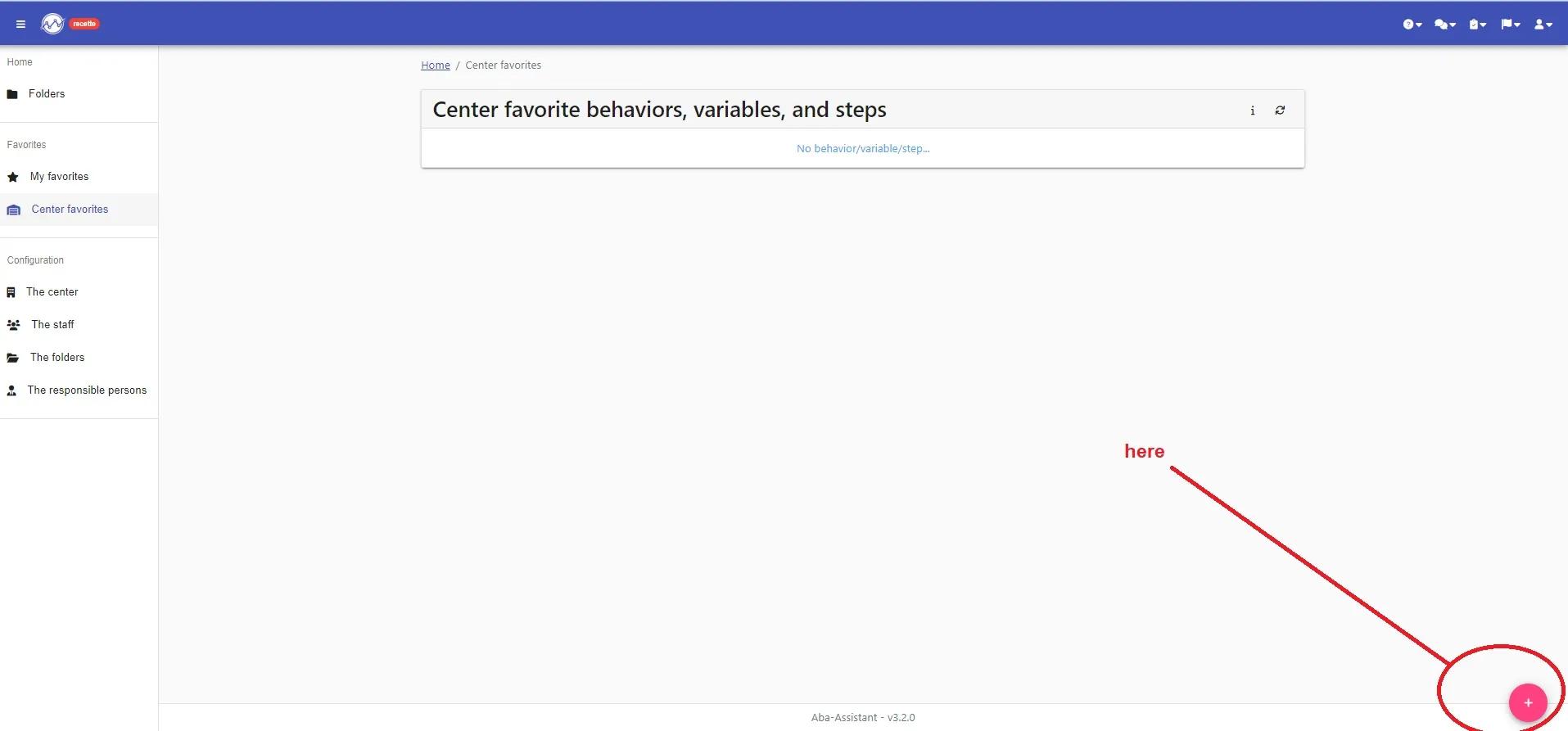
2- Click on “+”at the bottom right to create a new group
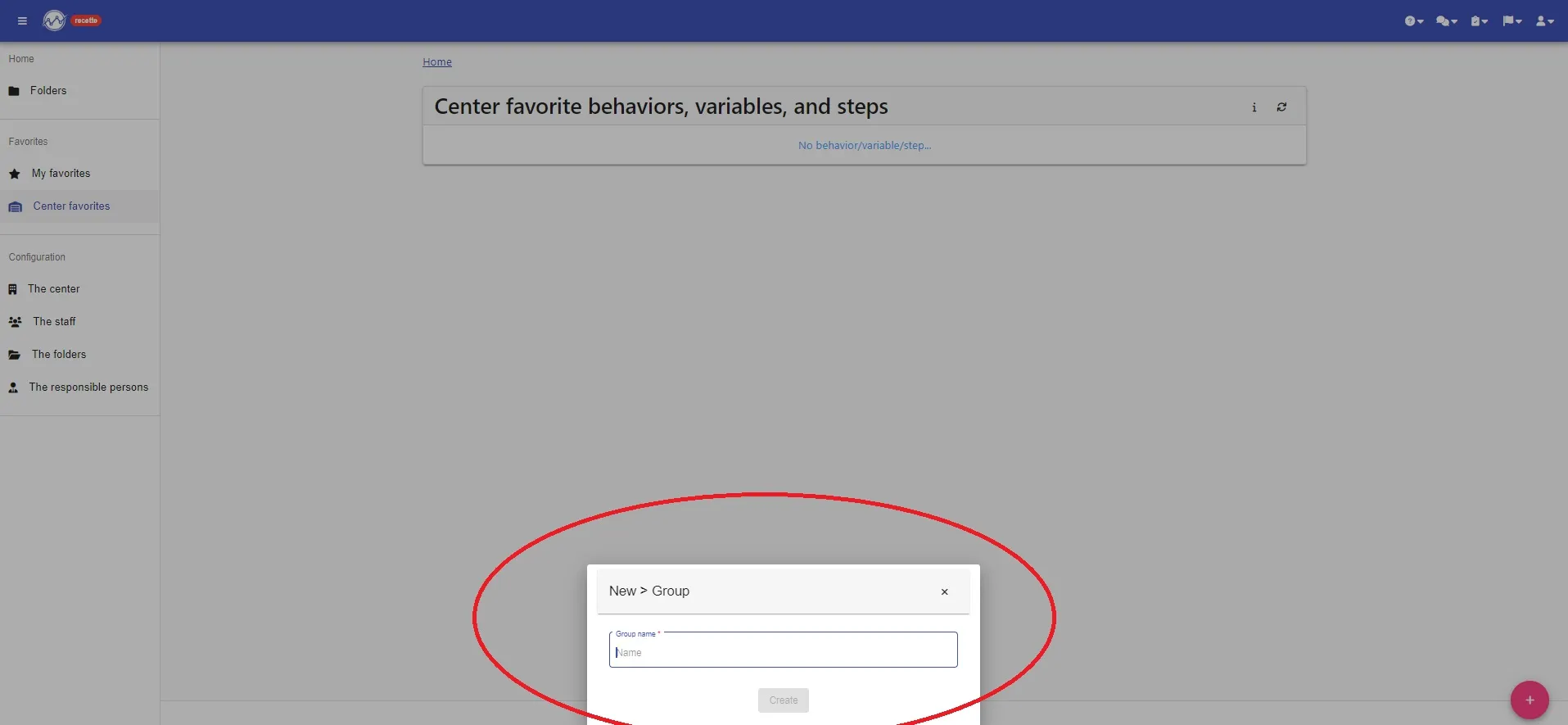
You can then name your group and click on “Create”
You can then add your behaviors, variables or steps
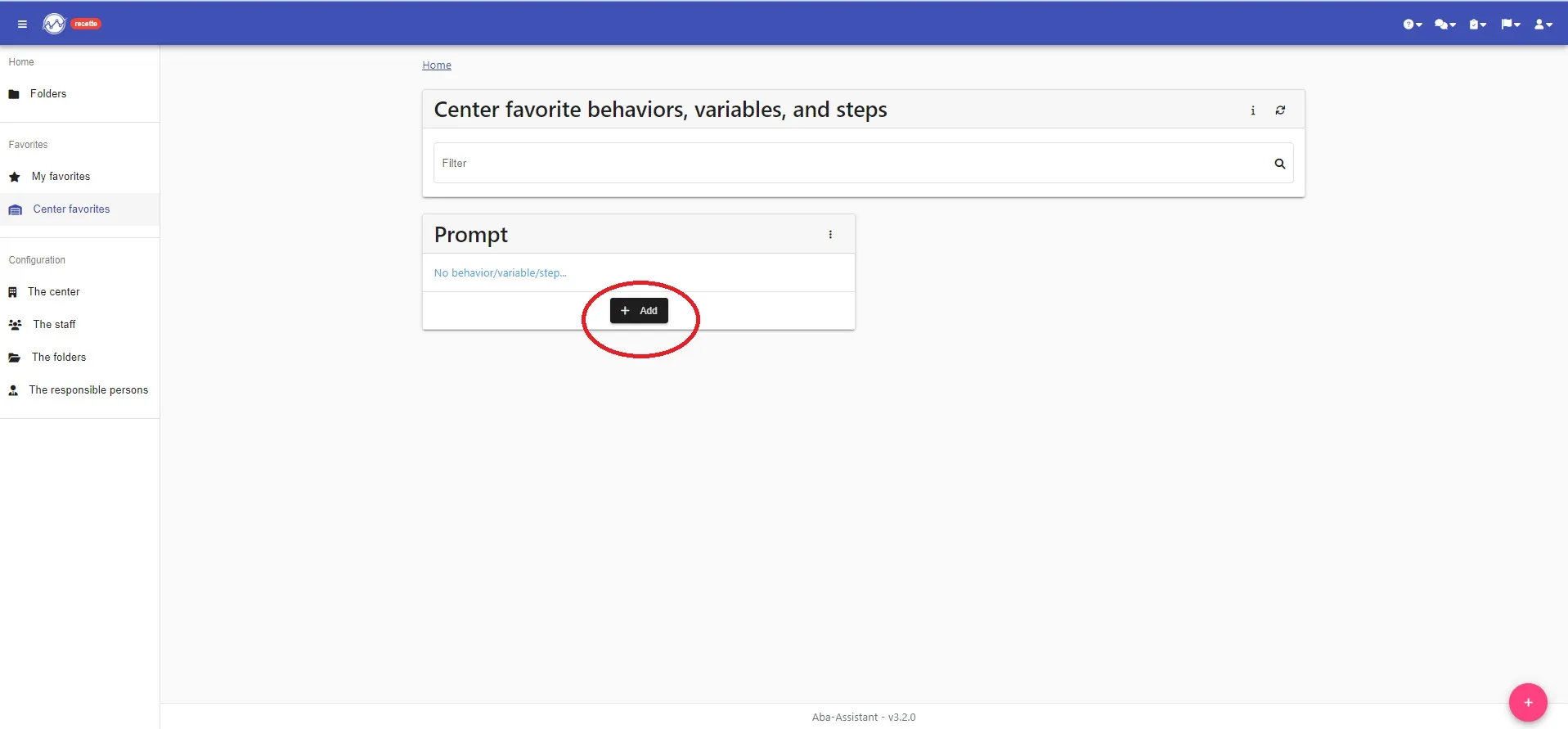
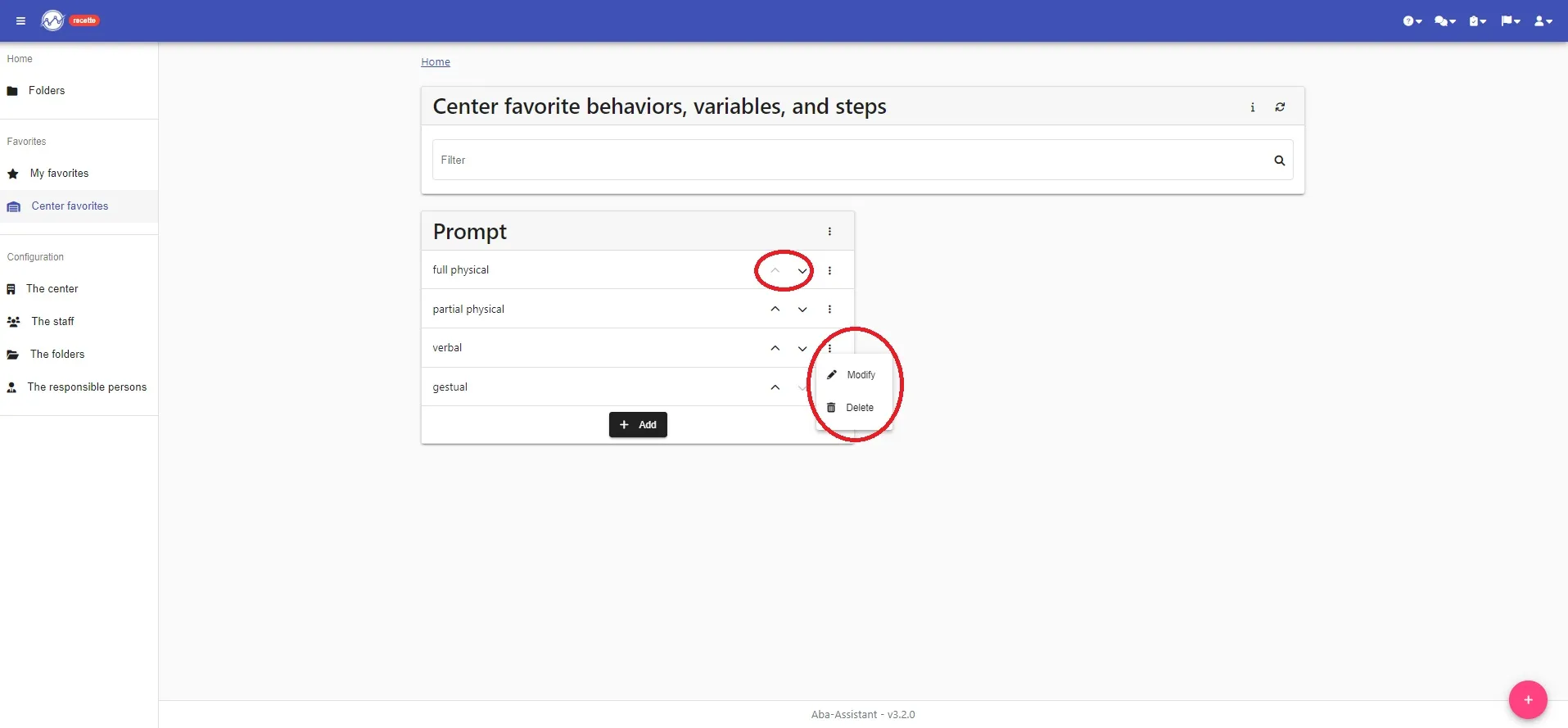
3- click on “+ Add” in the chosen group and add the name of your behavior, your variable or your step. Repeat for each behavior, variable or step to add to your group
You can modify a group or behavior/variable/step name at any time by clicking on the three dots to the right of the name to modify.
You can also change the order of your behaviors/variables/steps using the arrows.
YOUR “FAVORITE BEHAVIORS / VARIABLES” GROUP IS CREATED !!!!
You can now use it in your programs