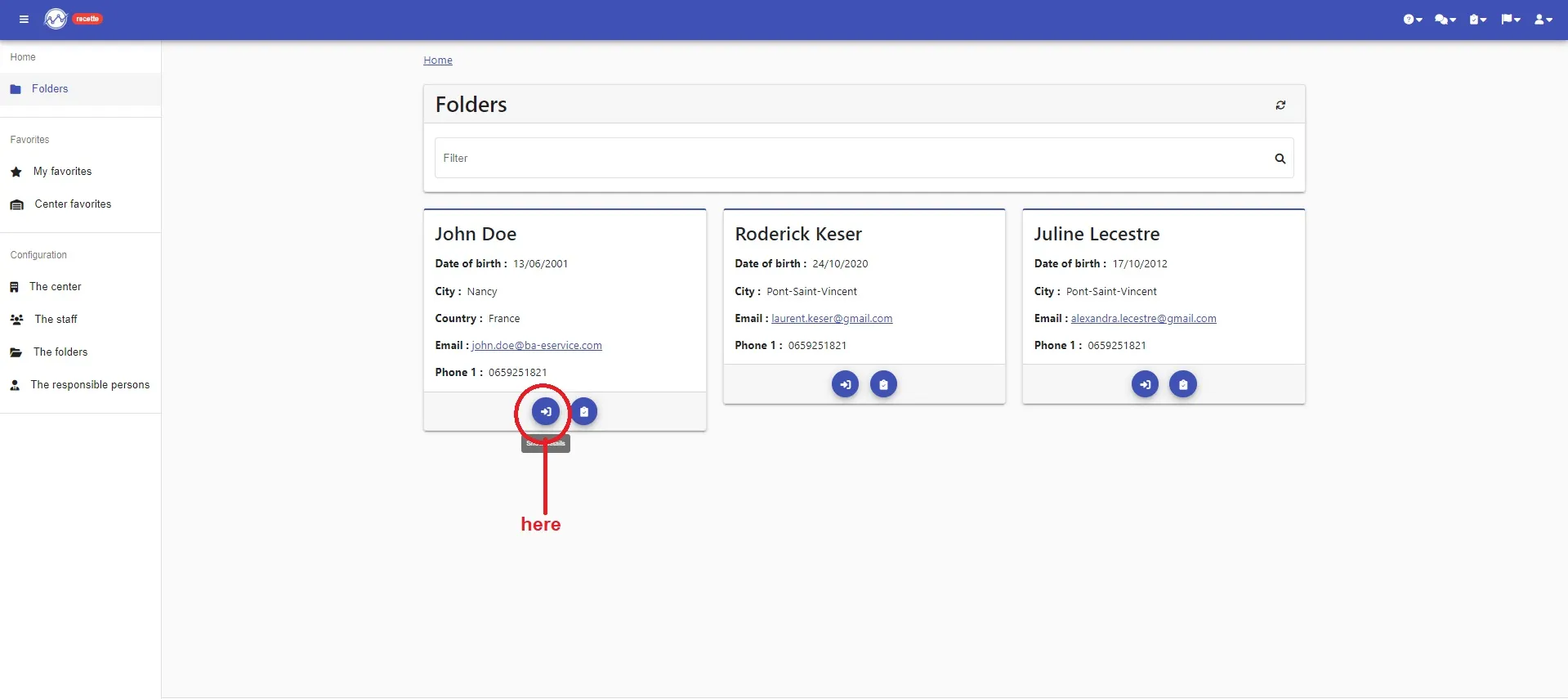
Select “show details” of your folder
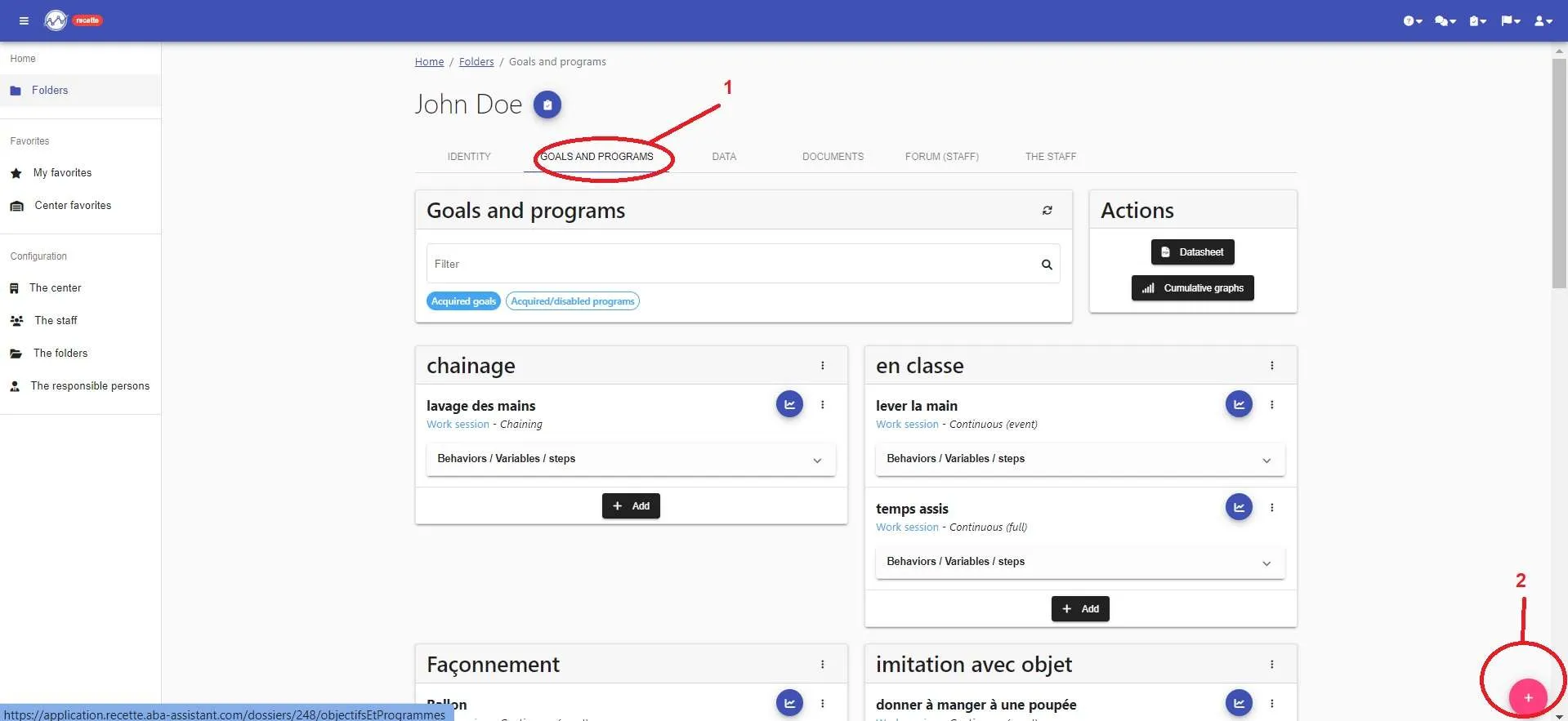
Select “Goals and programs” (1).
Now, click on “+” (2)
Enter the name of your goal and click on « Create »
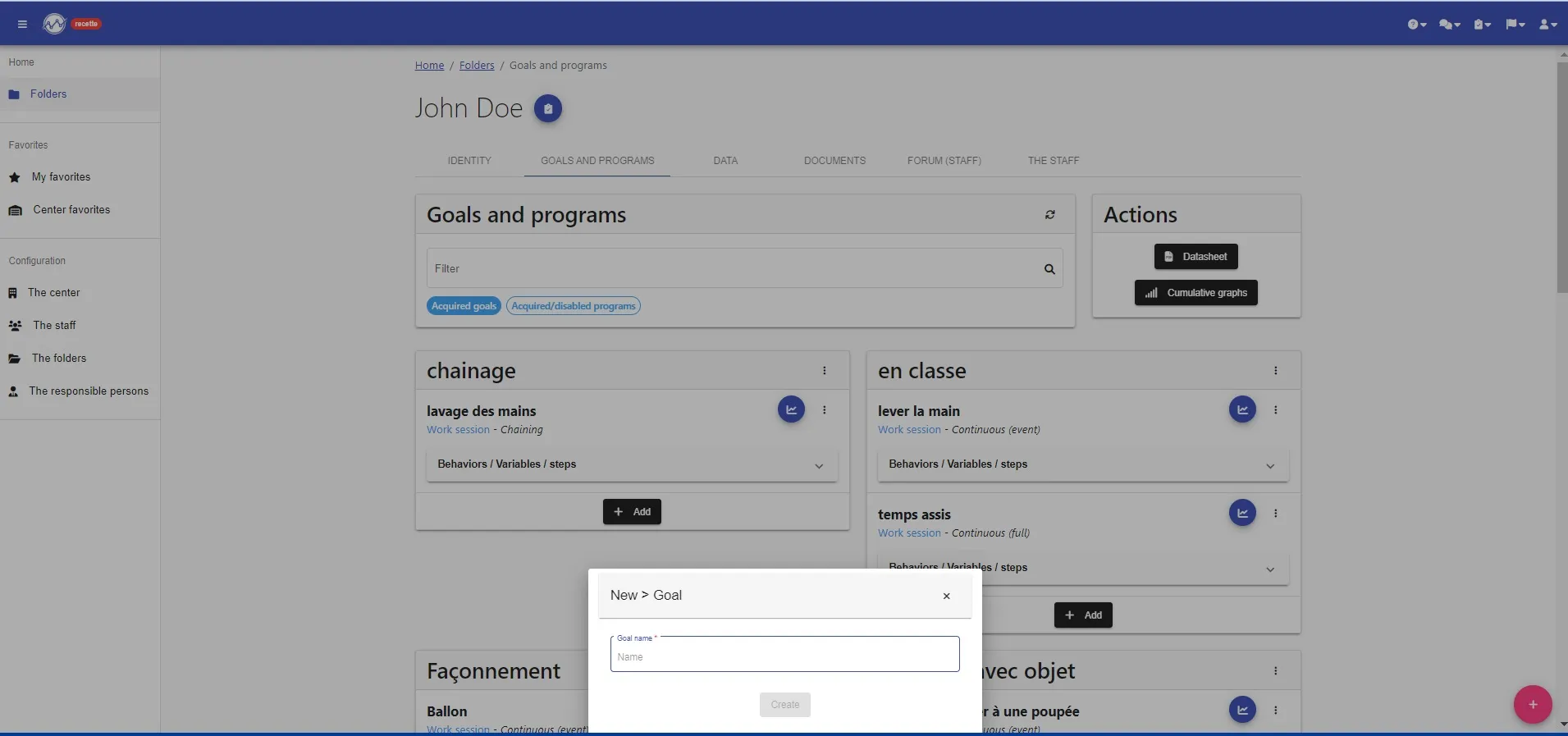
Your Goal is created !!!!
You just have to add your programs in your goal

Select “show details” of your folder
Select “Goals and programs” (1).
Now, click on “+” (2)
Enter the name of your goal and click on « Create »
Your Goal is created !!!!
You just have to add your programs in your goal